Setting up IPTV on your Sony the mobile OS TV is one of the easiest ways to enjoy premium live TV, sports, and movies on the big screen. Sony's the mobile OS TV platform gives you full access to the the search company Play Store, which means you can install any IPTV player app directly — no casting, no extra hardware, no hassle. In this complete 2026 guide, we'll walk you through three different methods to get IPTV running on your Sony the mobile OS TV in under 10 minutes.
Why Sony the mobile OS TV Is Great for IPTV
Sony Bravia TVs running the mobile OS TV (and the newer the search company TV interface) are among the best devices for IPTV streaming. Here's why:
- the search company Play Store access — Install a popular player app, a player app, Kodi, or any the mobile OS IPTV app directly
- 4K HDR support — Most Sony Bravia models support 4K HDR streaming for compatible IPTV channels
- Smooth performance — Sony's processors handle live streaming with minimal buffering
- Built-in a streaming dongle — Cast from your phone as a backup method
- Voice remote — Quick app launching with the search company Assistant
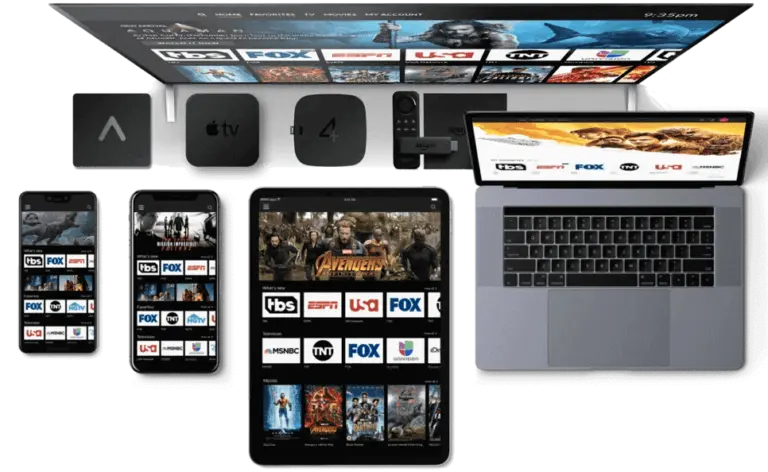
Method 1: a popular player app Pro (Recommended)
a popular player app Pro is the most popular IPTV player for the mobile OS TV. It's free, reliable, and works perfectly with Nova IPTV subscriptions.
Step 1: Open the search company Play Store
On your Sony the mobile OS TV home screen, navigate to the التطبيقات section and open the the search company Play Store. You can also say "Open Play Store" into your voice remote.
Step 2: Search for a popular player app Pro
Use the search bar at the top of the Play Store and type "a popular player app Pro". Select the app by Whizbit Technologies (the official developer). It has a blue and white logo.
Step 3: Install and Open the App
انقر ثَبَّتَ and wait for the download to complete. Then click يفتح to launch the app. The first time you open it, accept the terms and conditions.
Step 4: Add Your Nova IPTV Playlist
يختار "Login with Xtream Codes API" (recommended). Enter your Nova IPTV credentials: username, password, and server URL from your subscription email.

Method 2: a player app IPTV Player
a player app is widely considered the best IPTV player for the mobile OS TV in terms of user experience and performance. It's particularly popular for its TV-optimized interface with a traditional channel grid layout.
Step 1: Install a player app from Play Store
بحث عن "a player app IPTV Player" in the the search company Play Store on your Sony TV. The premium version unlocks multiple playlists and recording features, but the free version works fine for basic streaming.
Step 2: Add Playlist
Open a player app, go to Settings → Playlists → Add Playlist. Choose "Xtream Codes" and enter your Nova IPTV credentials. Alternatively, paste your M3U URL if you have one.
Step 3: Configure EPG (Channel Guide)
a player app will automatically fetch the EPG from your IPTV provider. Go to Settings → EPG and ensure it's set to update automatically for the familiar TV guide experience.
💡 Pro Tip: If you have a newer Sony TV with the search company TV interface, install the a player app companion app on your phone to manage subscriptions and settings from your mobile, then sync to your TV.
Method 3: Screen Cast from Phone
If you prefer using IPTV on your phone first, you can easily cast to your Sony the mobile OS TV using the built-in a streaming dongle feature.
Step 1: Connect to Same WiFi
Ensure both your phone and Sony TV are connected to the same WiFi network. This is essential for casting to work.
Step 2: Open IPTV App and Cast
Open your IPTV app on your phone, start playing any channel, and tap the Cast icon (rectangle with WiFi waves). Select your Sony TV from the list.
⚠️ Warning: Screen casting depends on WiFi speed and stability. For best results, use 5GHz WiFi or connect your Sony TV via Ethernet. Direct app installation (Method 1 or 2) is always more reliable.
Sony the mobile OS TV IPTV — Method Comparison
| Method | Ease of Use | Quality | Best For |
|---|---|---|---|
| a popular player app Pro | ⭐⭐⭐⭐⭐ | حتى 4K | Beginners, all users |
| a player app | ⭐⭐⭐⭐ | حتى 4K | Power users, channel surfing |
| Screen Cast | ⭐⭐⭐ | Up to 1080p | Quick viewing, backup |
الأسئلة الشائعة
Can I use IPTV on any Sony the mobile OS TV model?
Yes! Any Sony Bravia TV running the mobile OS TV 6.0 or later supports IPTV apps from the the search company Play Store. This includes models from 2015 onwards. If your Sony TV runs the older "Sony a connected TV" platform (not the mobile OS), you'll need an external device like a an the mobile OS streaming stick.
Do I need a VPN for IPTV on Sony TV?
While not always required, using a VPN is recommended for privacy and to avoid potential ISP throttling. You can install VPN apps like NordVPN or ExpressVPN directly from the Play Store on your Sony the mobile OS TV, or configure the VPN on your router.
Why is my IPTV buffering on Sony TV?
Buffering is usually a network issue. Try: (1) Connect via Ethernet instead of WiFi, (2) Close background apps, (3) Restart your router, (4) Use a VPN to bypass ISP throttling, (5) Ensure at least 25 Mbps for 4K streaming.
Can I use multiple IPTV apps on my Sony TV?
Absolutely! You can install and run multiple IPTV apps simultaneously. Many users keep both a popular player app Pro and a player app installed — Smarters for VOD (movies and series) and a player app for live TV with the channel guide.
Is a popular player app Pro free on Sony the mobile OS TV?
Yes, a popular player app Pro is completely free to download and use on the mobile OS TV. No in-app purchases or subscriptions required for the app itself. You only need your IPTV service subscription to access content.
Looking for more device setup guides? Check out our complete IPTV guides for a TV maker, a TV maker, an the mobile OS streaming stick, and more. Ready to start streaming? View pricing plans to find the perfect subscription.
 English
 Deutsch
 Italiano
 Türkçe
 العربية
 Português do Brasil
 Español
 Français
 Svenska
 עִבְרִית
 Čeština
 Ελληνικά
 Polski
 Русский
 Eesti
 Suomi
 Norsk bokmål